

Release Notes | December 2025
December 2025
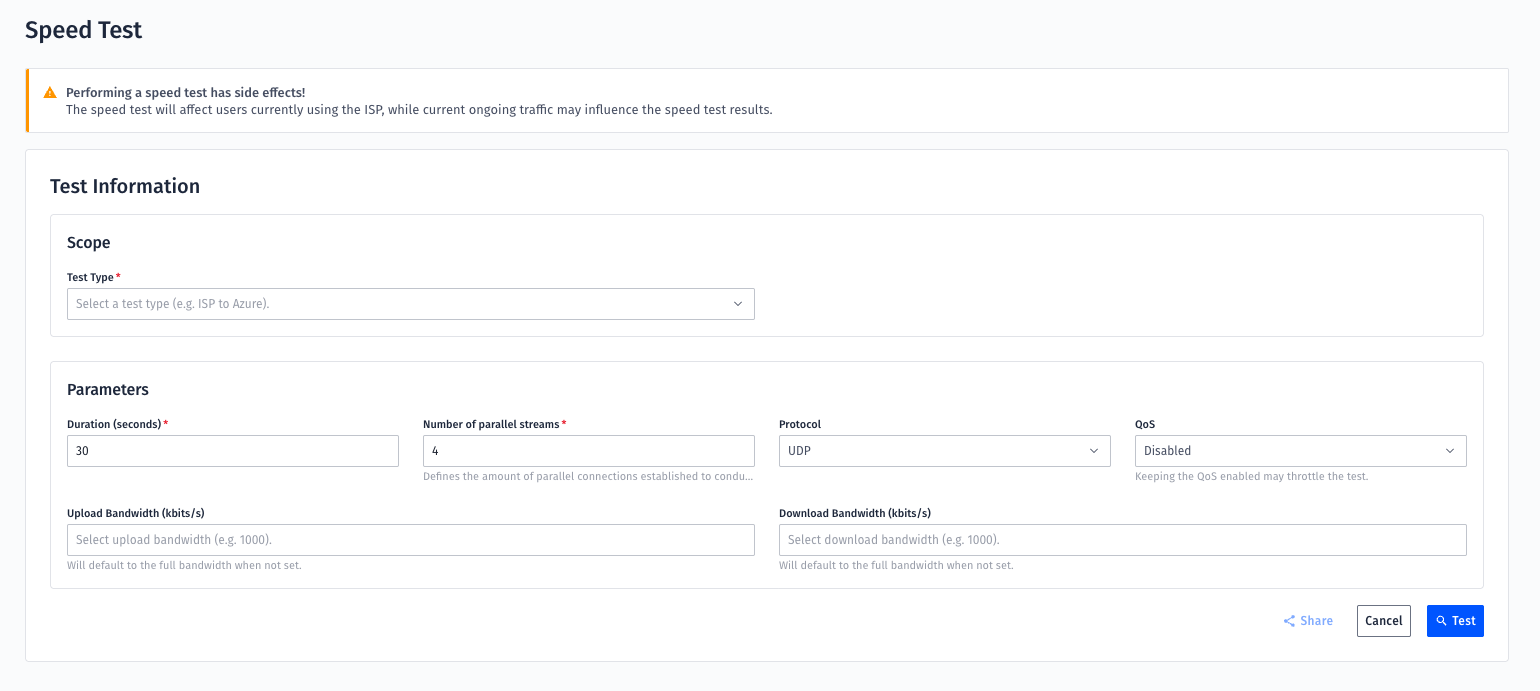
Measure Network Performance with Speed Test
Want to know how your ISP lines are really performing? The new Speed Test feature puts the power in your hands.
Run tests ISP to Azure or Site-to-Site, as many times as you need – whenever you want. No waiting, just instant insights into your network performance, so you can identify and solve issues faster.
To get started, you need the Network Administrator permission. Please request it by opening a Mission Control ticket.
–> Find out more about Speed Test
Edit Network Interfaces Yourself with the New Network Interface Editor
Need to tweak an internal interface? You no longer have to open a MC ticket. The new Network Interface Editor lets you manage interfaces directly in the MC Portal.
Make changes on the spot, stay in control of your setup, and save time with true self-service. This update also lays the groundwork for future self-service features like configuration and routing adjustments.
You’ll need the Network Administrator permission to start. Please request it by opening a Mission Control ticket.
–> Find out more about the new Network Interface Editor
Simpler Firewall Changes with Self-service
Wish you could apply small firewall changes instantly and on your own? The new Firewall Objects Self-service makes it faster and clearer.
See ongoing changes, revert single edits, find object usage instantly, and know exactly what you can (and can’t) change. Plus, this update sets the stage for the upcoming Firewall Policy Self-service.
To get started, you need the Firewall Management permission. Please request it by opening a Mission Control ticket.

–> Find out more about the new Firewall Objects Self-service
Inventory View v2: More Views, More Flexibility, More Insight
The Inventory view just got a major upgrade – built directly on customer feedback. Alongside the classic per-site view, you now get two new aggregations:
• Services – see all your services and their hosts
• ISP Lines – view all ISPs at your locations, without service clutter
Exports are smarter too: pick exactly what you want and generate cleaner, more targeted files. And with the new month selection, you can finally run multi-month reviews, such as quarterly and yearly reviews.
More options, more flexibility – all in one place. Check out the new view and start using it for your reporting and analysis. (Note: the old ISP Line Overview and ISP Line Availability views will be retired.)
How to get there: Type ‘inventory’ in Jump To and click on the search result.
–> Learn more about the new Inventory View
Customer Stories: Real Success with Open Systems
See how leading companies are using our solutions to simplify operations, gain visibility, and improve performance:
Kelvion – Discover how Kelvion streamlined its network operations with Open Systems.
Read story
Franke – Learn how Franke improved security and performance while reducing complexity.
Read story
Leave Complexity
Behind
To learn how Open Systems SASE Experience can benefit your organization, talk to a specialist today.
Contact Us